Local processing
Keep sensitive PDFs on infrastructure you control.
RelayWorks AI Document Processing Kit
A self-hosted FastAPI + Next.js application that turns PDFs into AI-ready output packages while keeping processing on your own infrastructure.
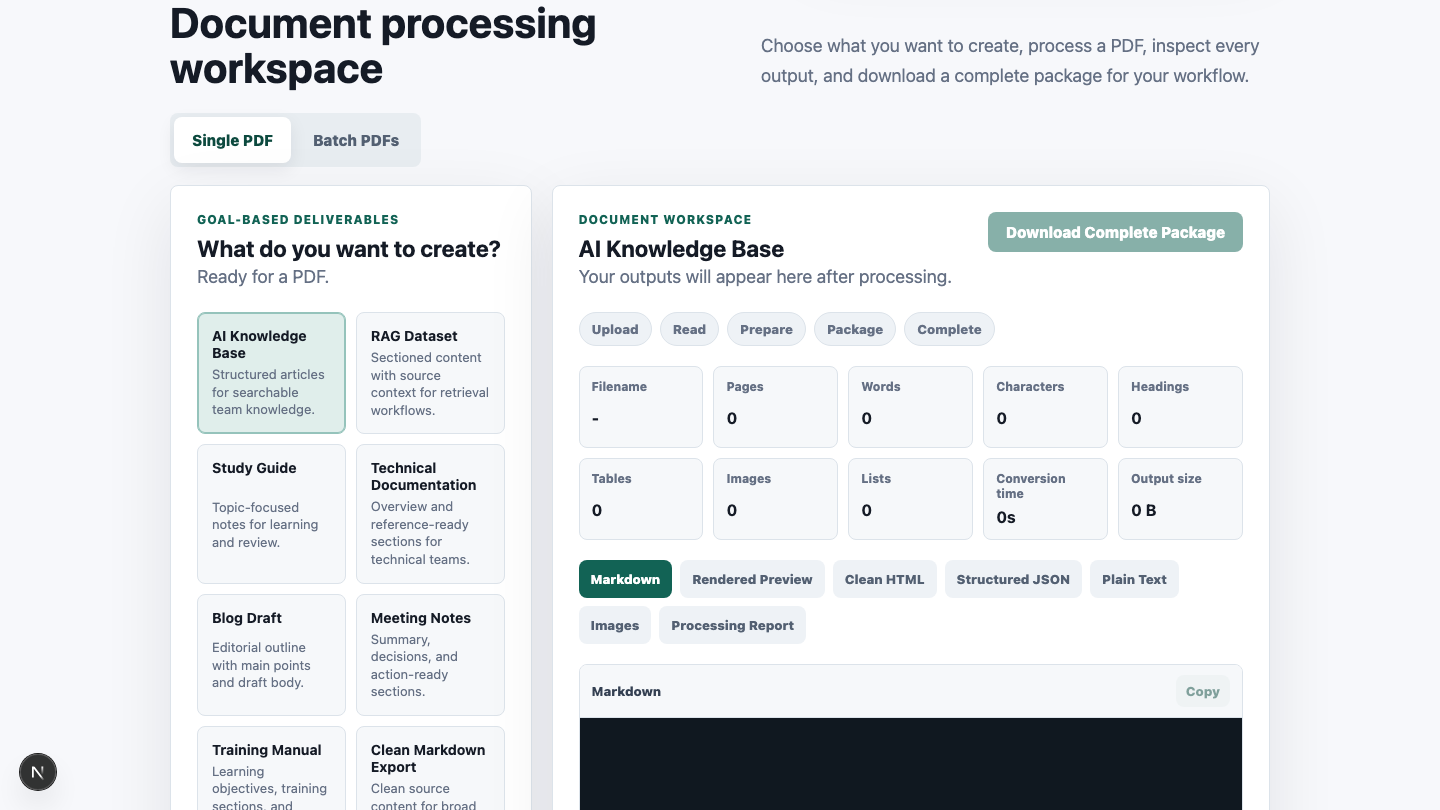
PDF upload handling, subprocess execution, background state, output review, error handling, and ZIP packaging all have to work together before the AI work can begin.
A practical application foundation for local document processing workflows.
Keep sensitive PDFs on infrastructure you control.
Upload, process, inspect outputs, and download packages in one app.
Start from FastAPI, Next.js, background jobs, and bounded local uploads.
Modify the implementation instead of relying on a black-box hosted tool.
Three steps from local PDF upload to downloadable AI-ready package.
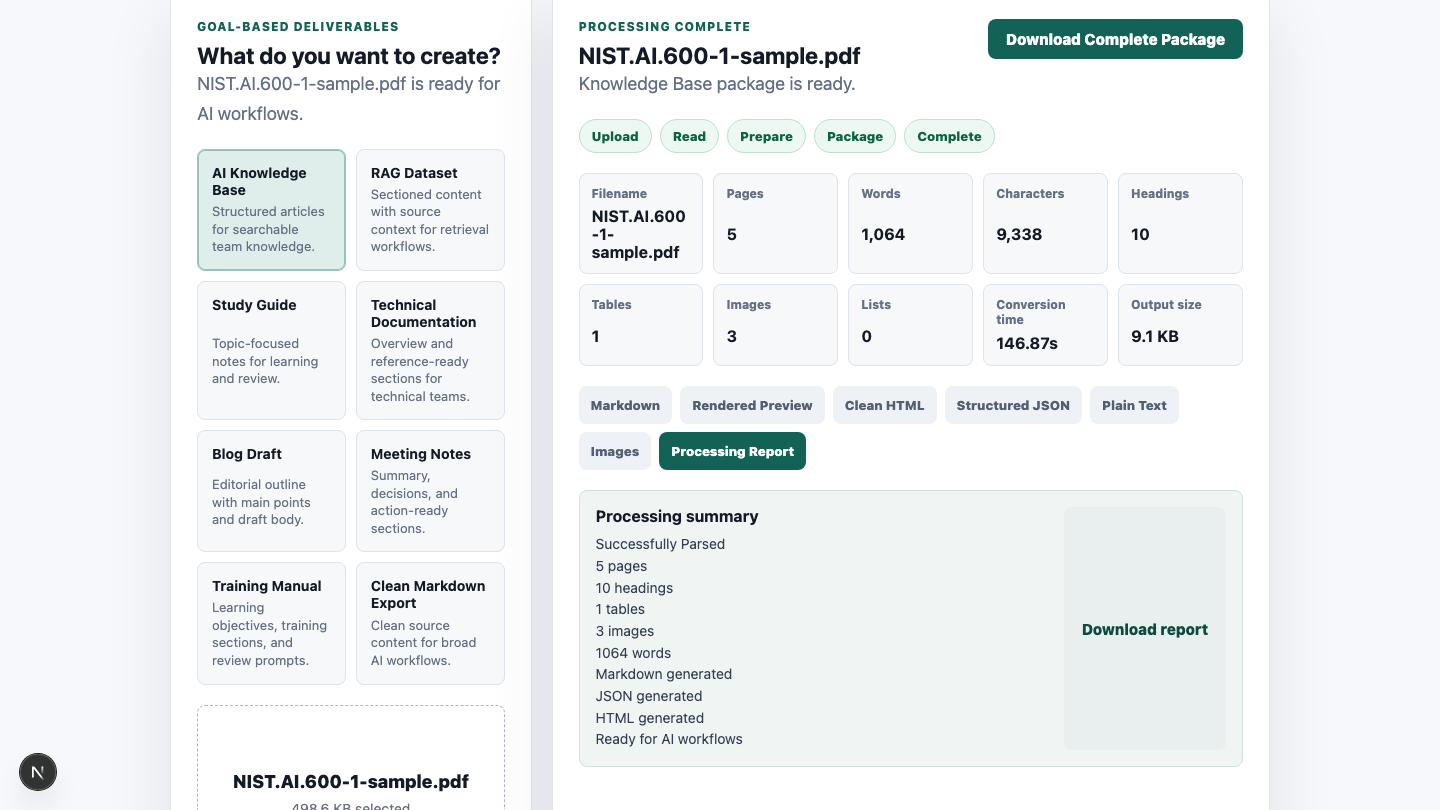
Generate files that are easier to inspect, package, and use in AI workflows.
Privacy
RelayWorks is designed for local or self-hosted operation. Uploads, generated outputs, job metadata, and downloadable packages stay in the local project storage paths you configure.
Technical buyers who need document processing infrastructure for AI workflows.
Clear setup expectations before purchase.
Required for the FastAPI backend.
Required for the Next.js frontend.
The backend invokes marker_single as an external CLI.
This release supports the existing PDF workflow.
This is not a hosted SaaS.
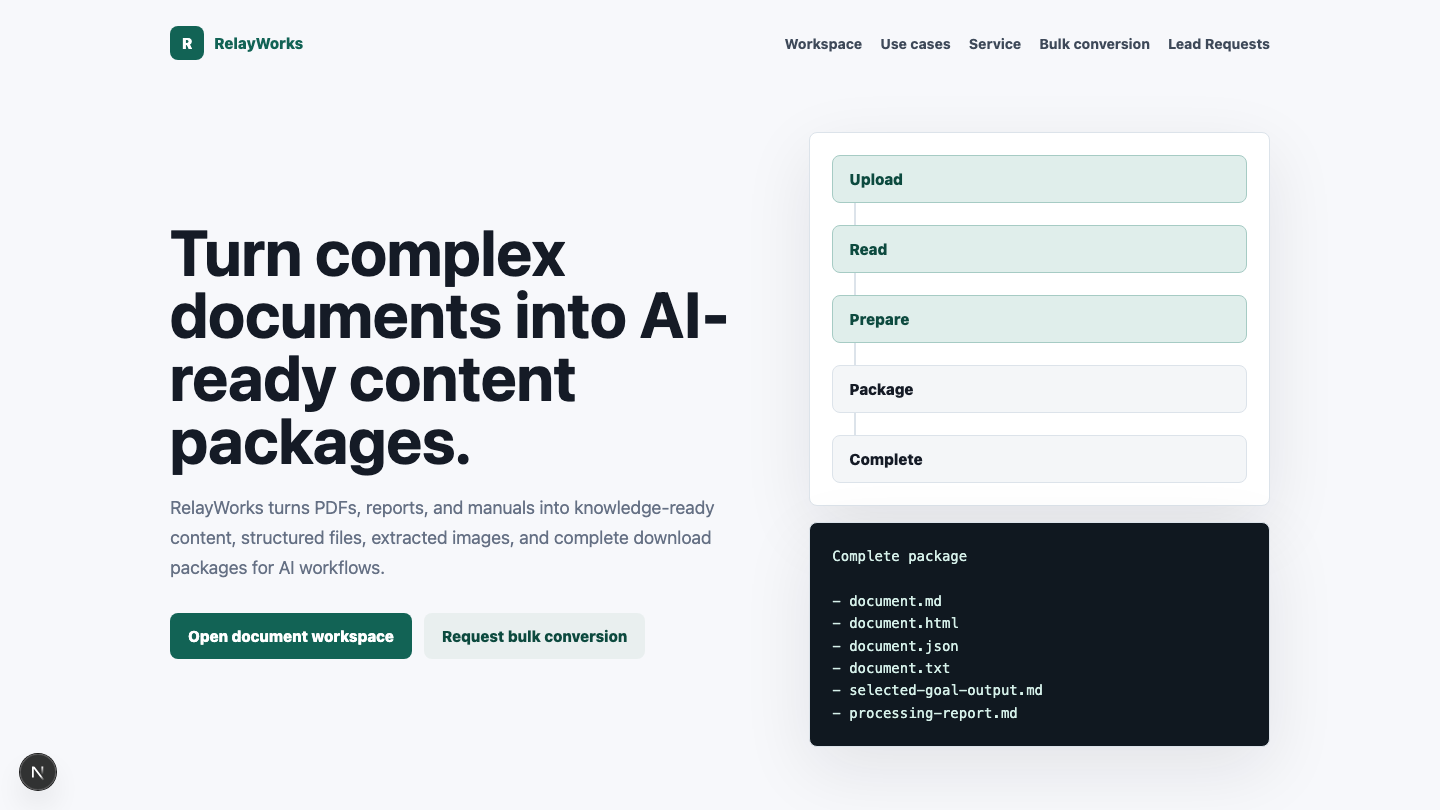
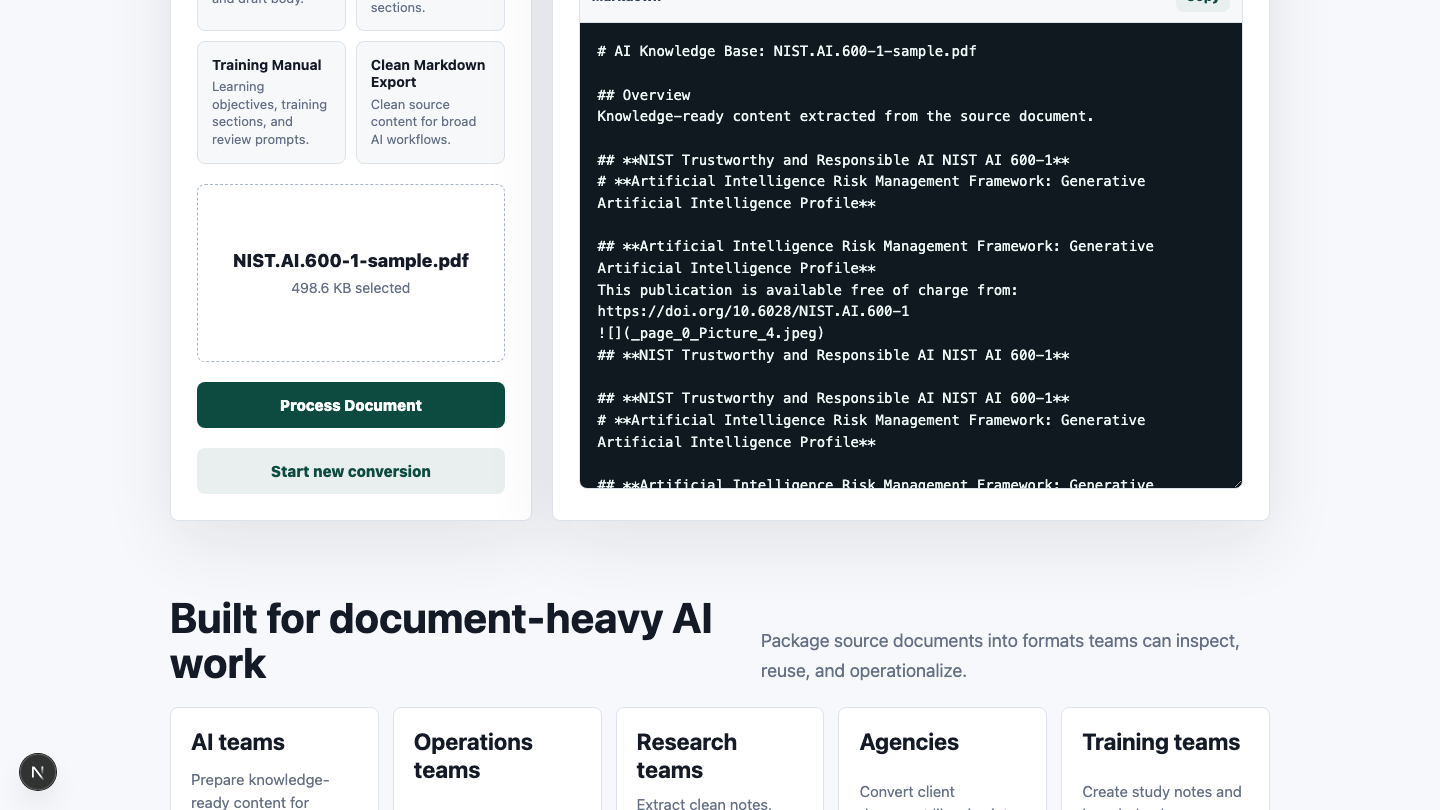
Real screens from the current product.
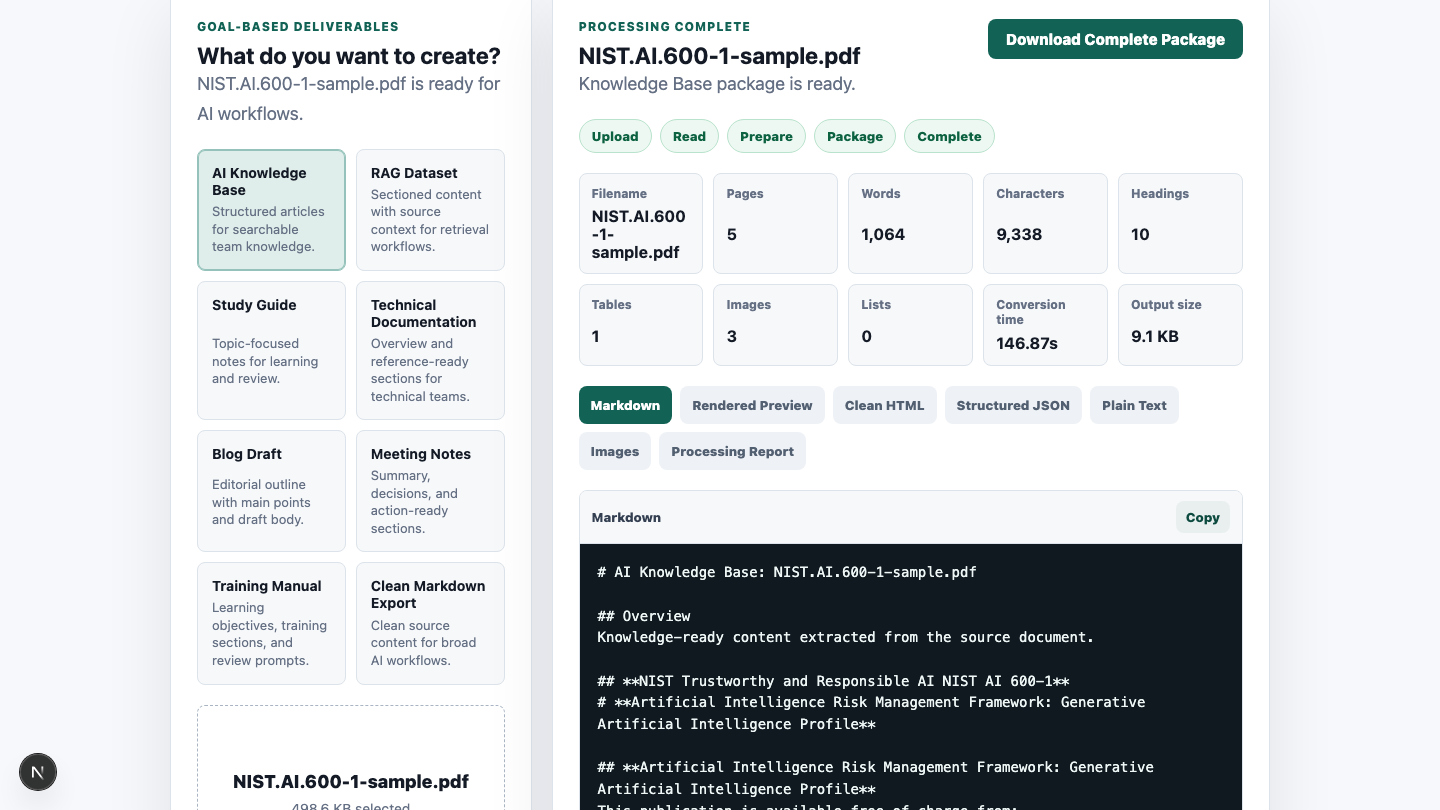
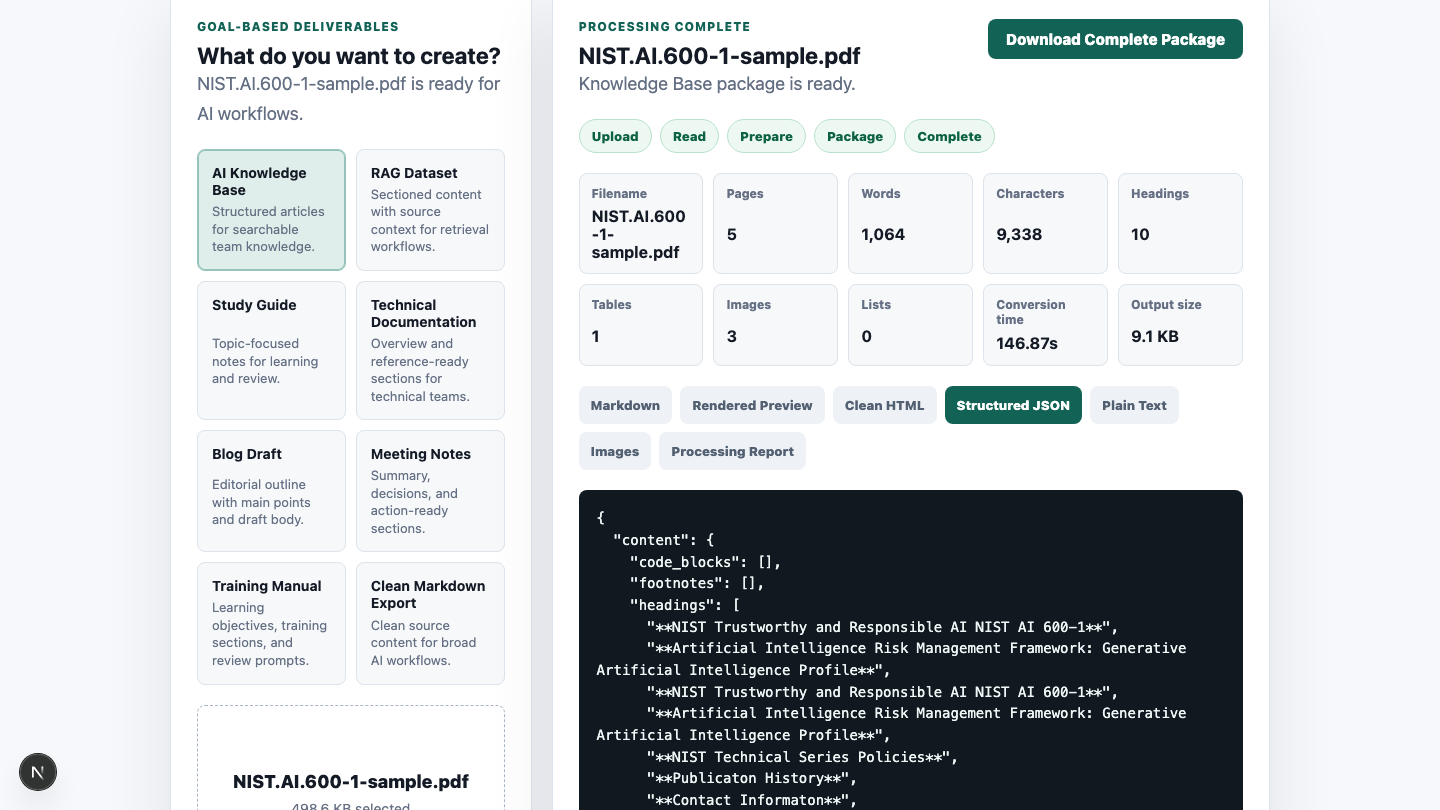
Demo
See RelayWorks process a PDF locally and generate structured, AI-ready output files.
Practical answers for developers evaluating the kit.
The current product workflow is PDF-focused.
No. RelayWorks is a self-hosted source-code product.
Yes. The FastAPI backend and Next.js frontend source are included.
No. Marker must be installed separately and available through the configured marker_single command.
No. The kit does not distribute Marker model weights.
Markdown, HTML, structured JSON, plain text, extracted images when available, processing reports, and ZIP packages.
Yes. The current app includes a batch PDF workflow.
Yes. Single PDF conversion uses background job processing.
Do not assume OCR beyond what the separately installed Marker workflow supports in your environment.
Yes. The product is designed for local or self-hosted operation.
No API key is required for the current local workflow.
AI engineers, technical founders, internal tools teams, and agencies building document-heavy workflows.
Python, Node.js, npm, and Marker installed separately.
Yes. The product includes source code intended for buyer modification within the purchased license terms.
No. Extraction quality depends on the source PDF, document quality, Marker behavior, and local setup.
Pricing
Buy once through Gumroad and use the included setup documentation to run locally.
FastAPI backend, Next.js frontend, local processing workflow, and AI-ready output packaging.
Final CTA
Use RelayWorks when you need a working local document processing foundation for AI workflows without building every integration layer yourself.